I'm a UI designer, not a Photoshop person.
I design screens for a living. But somehow presenting my work still requires Photoshop skills I never needed and don't have time to learn.
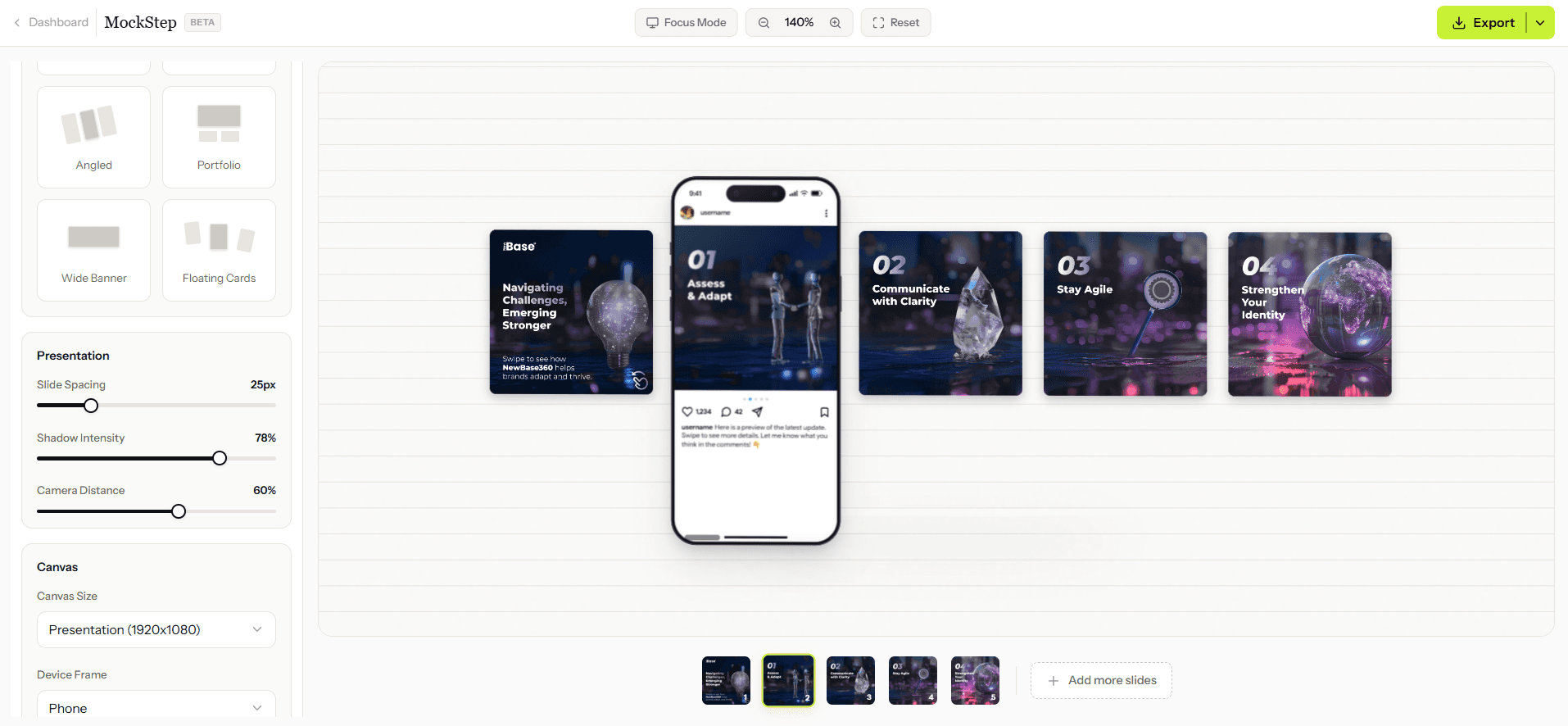
Upload your slides. Pick a layout. Export a mockup that matches the quality of your work.
Every designer has hit these walls.
Most are still hitting them.
I design screens for a living. But somehow presenting my work still requires Photoshop skills I never needed and don't have time to learn.
Twenty minutes on Freepik. Fifteen on Dribbble resources. Found one that looked decent. Wrong dimensions. Started the search over again.
Drag slide into smart object. Save. Close. Reopen. It didn't update. Do it again. Six slides. Six separate times. Every single project.
Template was built for iPhone 12. I need iPhone 15 Pro. Now I'm resizing layers I didn't make, in a file I don't understand, at 1am before a client call.
Instagram is 1080×1350. Dribbble is 1600×1200. Behance wants something else entirely. I have three files for the exact same carousel now.
I spent nearly an hour making the mockup for a design that took forty-five minutes to create. Something is fundamentally broken about this workflow.
None of this is your fault.
The tools were just built for someone else.
There's a better way to do this.
No learning curve. No settings to configure. No reason to open Photoshop ever again.
PNG, JPG, or WEBP. Drop them in any order — drag to rearrange after. Up to 20 slides per session.
8 layout styles. Instagram, Dribbble, Behance, or Presentation canvas. One click. Instant preview.
PNG or PDF. Full resolution. No watermarks. No compression. What you export is exactly what you use.
Not features. Fixes.
From clean and flat to dramatic perspective, every layout is designed for a specific context. Portfolio grids for Behance. Floating cards for editorial. Wide banners for presentations. Whatever you're building, there's a layout for it.
Canvas sizes for Instagram, Dribbble, Behance, and Presentation decks are built directly into MockStep. No manual resizing. No dimension math. No separate files. Switch platforms and your mockup updates immediately.
We didn't estimate this. We timed it. Upload to export in under 2 minutes when you know what you want. That's not a claim — that's what happens when there's no template hunting, no Photoshop, no friction.
PNG and PDF. Both at your canvas resolution — 1080×1350 stays 1080×1350. No compression. No watermarks on any plan. What you see in the preview is exactly what you get in the file.
Under 2 minutes. No account needed.
Your slides deserve a better stage.